Overview
For American students, selecting a smartphone is one of the most crucial choices. A smartphone is now more than just a communication tool; it’s a vital educational resource. Your phone is crucial to your academic performance whether you’re taking notes, managing assignments, watching online lectures, taking part in virtual meetings, or working on group projects.
The most common query from students is: Should I purchase an Android phone or an iPhone? Although they serve distinct requirements, budgets, and lifestyles, both platforms have great features. While some students like the freedom, affordability, and customisation provided by Android smartphones, others prefer the ease of use and security of Apple’s iPhone.
The ideal smartphone depends on factors such as your budget, the devices you already use, your learning style, the apps you need, and how long you plan to keep the phone.For instance, given of Apple’s seamless environment, students who already possess a MacBook or iPad would gain more from an iPhone. However, Android smartphones are frequently more cost-effective for students searching for powerful yet reasonably priced handsets.
From the viewpoint of an American student, this thorough guide contrasts iPhone versus Android cellphones. To assist you in making an informed choice, we’ll examine features including cost, performance, battery life, software updates, educational applications, productivity, privacy, gaming, taking notes, and more.
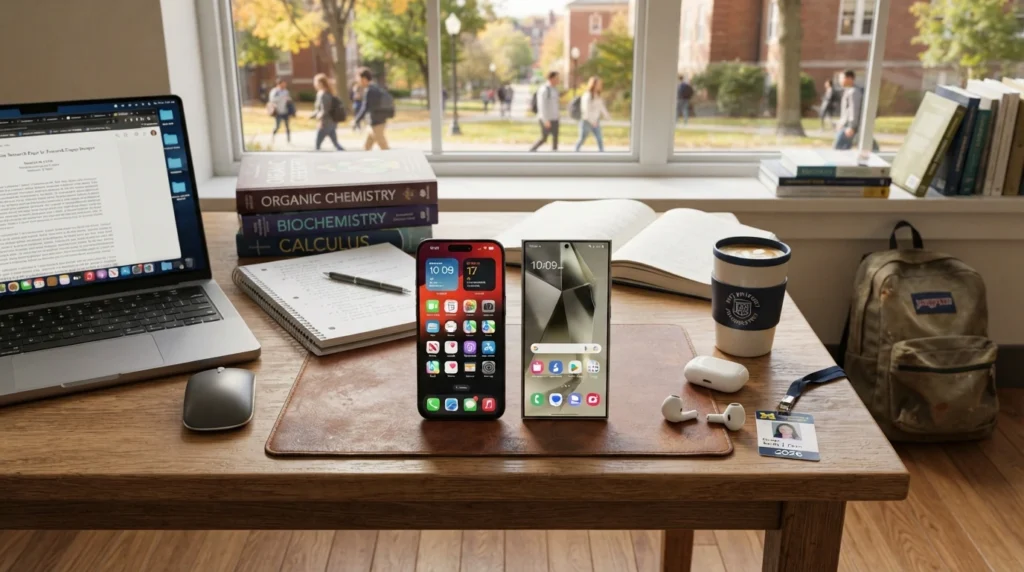
Why It’s Important for Students to Select the Correct Smartphone
In today’s digital learning environment, smartphones have become indispensable companions for college and university students, supporting everything from online classes and research to communication and time management. Smartphones are becoming an extension of the classroom, used for anything from accessing digital textbooks to checking class schedules.
Students benefit from a good smartphone:
Participate in Google Meet or Zoom classes
Get access to online educational resources
Finish the assignments
Scan the documents.
Arrange your notes.
Organise reminders and calendars
Interact with instructors and fellow students
Do some research
Stay efficient and manage your academic tasks wherever you are.
Poor battery life, little storage, sluggish performance, and problems with educational app compatibility can result from purchasing the incorrect phone. Making an informed decision can save money and boost productivity throughout college, as many students use the same phone for several years.
Comprehending the iPhone
Apple’s flagship smartphone model, the iPhone, is renowned for its elegant appearance, fluid operation, and dependable software. It is powered by Apple’s iOS operating system, which is only compatible with Apple products.
The iPhone’s long-term software support is one of its greatest advantages. Students can use the same phone throughout their academic career without worrying about out-of-date features or security concerns because Apple usually offers software updates for five to seven years.
The smooth integration of Apple products is another significant benefit. The Apple ecosystem makes it simple for students who own a MacBook, iPad, or Apple Watch to sync notes, messages, images, files, and documents across all devices.
Important iPhone Features
Superior construction quality
Quick A-series CPUs
Superb cameras
Extended software support
Robust privacy protection
high value when sold again
dependable app functionality
A seamless user experience
Many students view iPhones as a long-term investment because they maintain their performance and resale value for years, despite the fact that they are frequently more expensive than Android phones.
Comprehending Android
Numerous manufacturers, including Samsung, Google, OnePlus, Motorola, Xiaomi, and others, employ Android, the most widely used mobile operating system in the world.
Android gives users far more flexibility than Apple’s exclusive ecosystem. With hundreds of smartphones available in various price points, Android is affordable for almost every student.
There is an Android phone with features that suit your demands, regardless of your budget of $200 or more than $1,000.
Because Android offers more customisation, it is particularly well-liked by students. Customers can set up their phones to suit their tastes, install widgets, utilise alternative launchers, and customise home screens.
Important Android Features
Inexpensive choices
Numerous brands
Many models have expandable storage.
Support for fast charging
High-refresh-rate screens
Improved personalisation
Several options for hardware
Adaptable file management
In terms of display technology, processing power, and camera quality, high-end Android phones now directly compete with Apple’s premium iPhones.
Comparing Prices: Which Is a Better Value?
Before purchasing a smartphone, students frequently look at price first.
Prices for iPhones
Apple positions most of its smartphones as premium devices aimed at the higher-end segment of the market. Due to great demand and extended software support, even older iPhone models continue to have quite high costs.
Benefits consist of:
Increased resale value
Extended software updates
Superior construction quality
dependable long-term results
Students on a limited budget, however, can find it challenging to justify the initial expense.
Android Costs
There are Android smartphones in practically every price range.
Students are able to buy:
Low-cost phones for daily use
Mid-range phones with performance comparable to flagships
High-end flagship handsets with cutting-edge screens and cameras
Students can select a device that meets their demands and budget thanks to this extensive range.
These days, a lot of mid-range Android phones come with features like:
OLED screens
High rates of refresh
Big batteries
Quick charging
Several cameras
AI-driven photography
Because of this, Android frequently offers greater value for students who want great features without having to pay a premium.
Comparison of Performance
For students who often use productivity apps, multitask, edit documents, and attend video classes, performance is crucial.
Performance of the iPhone
Because Apple creates both the software and the hardware, iPhones operate incredibly smoothly.
Benefits consist of:
Quicker app launch
Outstanding multitasking
Effective battery optimisation
Easy gaming
Reliable performance that remains smooth for years of everyday use.
Long-term academic use of iPhones is appropriate because even older models are still responsive.
Performance of Android
The manufacturer and processor have an impact on performance.
High-end Android devices with flagship processors offer exceptional multitasking and speed. Additionally, mid-range devices do exceptionally well for routine educational tasks.
Pupils can easily:
Launch Microsoft Office and modify PDFs
Take lessons online
Look at several tabs
Make use of AI study resources
Watch instructional videos
In recent years, there has been a notable reduction in the performance difference between flagship Android phones and iPhones.
Life of a Battery
Battery life is one of the most crucial factors because students spend a lot of time on campus.
The battery of an iPhone
Instead of just making batteries bigger, Apple concentrates on software optimisation.
Advantages consist of:
Effective power control
Reliable battery performance
dependable standby time
Outstanding iOS optimisation
On a single charge, many students may easily finish a full day of classes.
Battery for Android
Batteries with capacities between 5,000 and 6,000 mAh are common in Android devices, which often have incredibly quick charging.
Benefits consist of:
Greater capacity of the battery
Quicker rates of charging
Many models have longer screen times.
Certain flagship devices include reverse wireless charging.
These battery-focused features are generally appreciated by students who spend a lot of time away from power outlets.
Quality of Display
Watching instructional videos, taking online classes, and reading digital textbooks are all considerably more pleasant with a high-quality display.
iPhone screens
Bright OLED screens with superb colour accuracy, crisp writing, and fluid scrolling are features of contemporary iPhones. Reading documents and editing photos is very fun thanks to Apple’s display calibration.
Advantages
Precise colours
Elevated brightness
Outstanding visibility outside
fluid animations
A pleasant reading experience
Android TVs
There are more display options available on Android phones. OLED panels with refresh rates of 90Hz or 120Hz are common in flagship and mid-range models, offering better responsiveness and smoother scrolling.
Many Android smartphones also feature larger displays, making it easier for students to multitask and use split-screen mode while studying.
We’ll examine camera quality, note-taking, educational apps, software updates, privacy, security, AI features, gaming performance, and the Apple vs. Android ecosystem in the next section. This will be followed by a thorough comparison table and suggestions for purchases.
Which phone is better for students in terms of camera quality?
There’s more to a smartphone camera than just taking selfies. Students record talks, take pictures of whiteboards, check lecture notes, produce content for social media, and even make videos for class assignments using their phones. Both personal and academic life can be greatly impacted by camera quality.
Performance of the iPhone Camera
Apple has established a solid reputation for providing dependable and consistent camera performance. iPhones are superior in image processing, colour accuracy, and video quality rather than just having a lot of megapixels.
Benefits of iPhone Cameras
Natural-looking hues
Outstanding photography in dim light
Leading-edge video recording
Quick autofocus
dependable portrait orientation
Smooth stabilisation of the image
The iPhone’s reliable camera system is typically appreciated by students who regularly record presentations, produce YouTube videos, or take part in media-related courses.
Performance of the Android Camera
Android phones differ based on the manufacturer. High-end gadgets from Google, OnePlus, and Samsung have camera systems that directly rival the newest iPhones.
Numerous Android smartphones have features like:
Sensors with high resolution
AI-driven photography
Zoom lenses for periscopes
Advanced mode at night
Expert camera controls
Large-scale photography
Android’s extra manual options and creative flexibility may appeal to students who are interested in photography.
Productivity and Educational Apps
When a smartphone keeps kids organised and productive, it becomes truly beneficial. Fortunately, hundreds of instructional apps are compatible with both Android and iPhone.
The following well-known apps are accessible on both platforms:
Canvas for Google Classroom
Learn on Blackboard
Office from Microsoft
Google Documents
Google Drive Concept
Evernote, Quizlet, Grammarly, Duolingo, and Zoom
Google Meet
iPhone for Work
All of the productivity apps on the iPhone offer a smooth and uniform experience. Academic work management is made easier with features like Focus Mode, Face ID, AirDrop, and iCloud.
Students who use MacBooks may easily continue working with Apple’s ecosystem, transfer files immediately, and copy text between devices.
Android for Work
Android provides more versatility. Students can alter their workflow to suit their preferences, manage files more freely, use split-screen mode, and modify widgets.
When working on tasks while concurrently consulting notes or browsing the web, Android’s multitasking features come in very handy.
The Experience of Taking Notes
Taking notes digitally has become a crucial component of contemporary schooling.
The iPhone
The Apple Notes app syncs automatically between Apple devices and is easy to use and dependable. Studying is made easier for students who use iPads because they can continue modifying notes straight from their iPhone.
Advantages consist of:
Quick synchronisation
Safe cloud backup
Simple document scanning
Notes on voice
Android checklist creation
There are additional options for note-taking apps for Android.
Well-liked choices consist of:
Samsung Notes and Google Keep
OneNote Notion from Microsoft
Evernote
Instead of depending on a single ecosystem, students can choose the app that best suits their learning style.
Updates for Software
oftware updates keep devices functioning properly, add new features, and increase security.
Updates for iPhones
Apple is well known for offering long-term software support. For five to seven years, many iPhones get upgrades.
Advantages consist of:
Increased safety
Extended longevity of devices
New attributes
Regular performance
Enhanced confidentiality
This is frequently seen as a major benefit by students who intend to use the same phone throughout their time in college.
Updates for Android
Manufacturers have different restrictions about Android updates.
While low-cost phones might only get upgrades for a shorter time, premium brands now offer software support for four to seven years.
Students should review the software update policies of the manufacturer before buying an Android phone.
Security and Privacy
Students use their smartphones to store academic documents, passwords, financial information, and personal images. Security should never be disregarded.
Security of iPhones
Apple places a high priority on user privacy through a strictly regulated ecosystem.
Among the security features are:
Face ID
Transparency of App Tracking
Safe Haven
Completely encrypted services
Frequent security updates
Students who are concerned about their privacy find iPhones to be an appealing option because of these capabilities.
Security for Android
In recent years, Android has greatly improved.
Contemporary Android gadgets provide:
Authentication using fingerprints
Recognition of faces
Google Play Protection
Secure Folder (on specific devices)
Frequent security updates
Android has great security, however different manufacturers may offer different experiences.
Android vs. Apple Ecosystems
The ecosystem connected to a smartphone plays a major role in shaping the overall user experience.
The Apple Ecosystem
The connection is smooth for students who already own Apple gadgets.
Examples consist of:
File sharing with AirDrop
iMessage Universal Clipboard
FaceTime
Synchronisation with iCloud
Switching between devices
Integration with the Apple Watch
Students can switch between devices without interfering with their work because to this degree of connectivity.
The Android Environment
Google services are the foundation of the Android ecosystem.
Students gain from:
Google Drive
Google Images
Gmail and Google Calendar
Google Documents
Compatibility with Chromebooks
Integration of smart homes
Additionally, Android is compatible with a greater range of devices from various manufacturers.
Performance in Games
A lot of students like to play video games after class or during breaks.
Playing games on an iPhone
Apple’s potent processors provide lag-free, fluid gaming performance.
Benefits consist of:
Consistent frame rates
Quick rendering of graphics
Improved optimisation
Extended support for gaming
Decreased overheating
Recent iPhones perform remarkably well in popular games like Fortnite, PUBG Mobile, Call of Duty: Mobile, and Genshin Impact.
Gaming on Android
The device has an impact on gaming performance.
High-end Android phones frequently come with:
High-refresh-rate screens
Modes of gaming
Systems of cooling
Batteries that are larger
Quick charging
The Android market may provide more specialist options for students searching for a dedicated gaming phone.
Features of AI
A significant component of contemporary smartphones is artificial intelligence.
AI on the iPhone
To enhance the user experience, Apple incorporates AI elements.
Examples consist of:
Intelligent photo arrangement
Real-time text recognition
Voice support
Photographic editing with intelligence
Writing support
Predictive typing
These features make it easier for pupils to finish daily tasks.
Android AI
The AI capabilities of Android OEMs have grown significantly.
Typical characteristics consist of:
AI-powered photo editing
Translation in real time
Intelligent voice assistants
Circle-to-search
Summaries of AI notes
Real-time captioning and automatic transcription
During research, lectures, and review, these technologies can help students save a significant amount of time.
Storage Choices
Another crucial consideration for students who download multimedia files, lecture recordings, and textbooks is storage space.
The iPhone
The majority of iPhones have fixed storage capacities between 128GB and 1TB. Students should select a capacity that meets their long-term demands because storage cannot be increased.
Android
Numerous Android phones offer a variety of storage options, and some models additionally allow microSD card expansion. Students who keep a lot of media files or study materials may find this flexibility very helpful.
Sturdiness and Construction Quality
Durability is crucial because students take their phones between courses, libraries, dorms, and part-time jobs.
The iPhone
iPhones are renowned for their high-end design, which makes use of premium components like stainless steel, aluminium, and sturdy glass. Water and dust resistance is another feature seen in many versions.
Android
Android brands differ in terms of build quality. While flagship models frequently have premium metal frames, Gorilla Glass protection, and water resistance, budget devices could use plastic materials.
Regardless of the platform you select, a strong protective case is advised.
2026’s Top iPhones for Students
Apple provides a number of iPhone models that are appropriate for various financial constraints and educational requirements. There is an iPhone that can help you with your studies, regardless of whether you’re searching for high-end performance or a more cost-effective choice.
- The iPhone 16
Perfect for students who desire long-term software support, strong performance, and the newest features. It easily manages productivity, gaming, AI functions, and multitasking.
- The iPhone 16 Plus
For students who want a bigger screen and a longer battery life, this is a fantastic choice. It’s great for watching instructional videos, taking online classes, and reading digital textbooks.
- The iPhone 15
The iPhone 15 continues to offer outstanding value by combining flagship-level performance, an impressive camera system, and years of software support at a more affordable price than Apple’s latest model.
2026’s Top Android Phones for Students
Android provides excellent options in a variety of pricing points.
- The Samsung Galaxy S25
A high-end Android phone with superb cameras, sophisticated AI features, outstanding display, and robust software support.
- The Pixel 10 from Google
Ideal for students who like AI-powered productivity tools, clean Android software, and one of the best smartphone cameras on the market.
- The OnePlus 13
provides exceptional value for money, lightning-fast charging, seamless multitasking, and flagship performance.
- The Galaxy A56 from Samsung
For students who want dependable performance without going over budget, this mid-range smartphone is perfect.
iPhone vs Android Comparison Table
| Feature | iPhone | Android |
|---|
| Starting Price | Higher | Budget to Premium |
| Performance | Excellent | Excellent |
| Battery Life | Very Good | Excellent |
| Software Updates | 5–7 Years | Depends on Brand |
| Security | Excellent | Very Good |
| Privacy | Excellent | Very Good |
| Camera Quality | Excellent | Excellent |
| Gaming | Excellent | Excellent |
| Customization | Limited | Outstanding |
| Expandable Storage | No | Available on Many Models |
| Fast Charging | Good | Excellent |
| Ecosystem | Apple Devices | Google & Multiple Brands |
| Resale Value | Very High | Moderate |
| Student Budget | Less Affordable | More Affordable |
Benefits and Drawbacks of the iPhone
Advantages
Superior construction and design
Extended software support
Outstanding performance
Industry-leading privacy and security
high value when sold again
Excellent camera quality
A seamless user experience
Robust compatibility with the iPad and MacBook
Drawbacks
costly in comparison to many Android phones
Fewer choices for customisation
Absence of extensible storage
Accessories can be expensive.
Compared to many Android competitors, fast charging is slower.
Android’s advantages and disadvantages
Numerous reasonably priced options
Increased personalisation
A wide range of manufacturers
Technology for quick charging
Many models have expandable storage.
High-refresh-rate screens
Adaptable file management
Outstanding value for the money
Drawbacks
Manufacturers have different software updates.
The user experience varies by brand.
There can be fewer upgrades for low-cost devices.
In general, resale value is lower than that of iPhones.
Which Phone Is Better for Various Student Types?
Select an iPhone if you
possess an iPad or MacBook already.
desire software updates for a long time.
Give security and privacy top priority.
Choose a dependable, easy-to-use interface.
Consider keeping your phone for a number of years.
For projects, high-quality video recording is required.
Select an Android phone if you
Have a tight budget.
desire additional possibilities for customisation.
Expandable storage is required.
Faster charging is preferred.
similar to having a large selection of gadgets.
Desire the best features within your means.
Final Decision
Because every student’s demands are unique, there is no clear winner in the iPhone vs. Android for Students USA discussion.
The iPhone is a great long-term investment if your budget permits and you already have a stake in the Apple ecosystem. It is perfect for students who seek a dependable tablet throughout their academic journey because of its strong privacy features, superior build quality, regular software updates, and powerful performance.
Conversely, Android provides exceptional value and versatility. Without compromising on necessary features, students can select from a variety of smartphones at various price points. Excellent displays, extended battery life, quick charging, strong cameras, and AI-powered apps that boost productivity are all features of many contemporary Android devices.
In the end, the ideal smartphone is the one that supports your academic objectives, matches your budget, and enhances your study habits. Before you decide, think about how you use your phone on a daily basis, what you already own, and how long you want to keep it.
FAQ
- For college students, is an iPhone preferable to an Android?
The right smartphone ultimately depends on your personal preferences, budget, and daily requirements.If you value long-term software updates, strong security, and seamless integration with other Apple devices, an iPhone is an excellent option. However, if affordability, flexibility, and extensive customization are your priorities, an Android smartphone is likely to be the better fit.
- Which phone is more reasonably priced for students?
Students with limited budgets often choose Android smartphones because they are available in a wide range of affordable models.
- Is an iPhone or an Android phone better for virtual learning?
Popular online learning platforms such as Zoom, Google Meet, and Microsoft Teams run smoothly on both iPhones and Android smartphones. In most cases, the overall experience depends more on the phone’s hardware and specifications than on the operating system itself.
- Which platform has a longer battery life?
While iPhones have superior battery optimisation that helps them last all day, many Android phones have bigger batteries and quicker charging.
- Do both platforms offer instructional apps?
Indeed. Both iOS and Android users can access well-known apps including Google Classroom, Canvas, Blackboard, Microsoft Office, Notion, Quizlet, and Grammarly.
Which smartphone delivers a better gaming experience?
Both flagship iPhones and high-end Android phones have outstanding gaming capabilities. Your budget and favourite games will determine which option is ideal for you.
- What is the more secure operating system?
Apple is well known for its robust privacy policies and regular security updates. But contemporary Android devices—especially those made by top manufacturers—also provide top-notch security measures.
- Do Android phones have the same lifespan as iPhones?
Indeed. Long-term use is now possible with premium Android devices from companies like Samsung and Google, which receive software updates for several years.
- What phone is ideal for taking notes?
Excellent note-taking apps are supported on both platforms. While Android users have a variety of options, such as Google Keep, Samsung Notes, Microsoft OneNote, and Notion, students who use Apple gadgets might prefer Apple Notes.
10.Which smartphone is the best choice for students in 2026?
Students should think about getting an iPhone if they want superior quality, long-term dependability, and seamless ecosystem integration. Many Android phones are a great option for those seeking freedom, affordability, and great value.